
Imagine a sketchbook app whose document is a package: one manifest, dozens of pages, and hundreds of image assets. Opening the file stalls while the app decodes every page; changing one sticker rewrites the whole package. The editor then feels slow even though the drawing view is efficient. The bottleneck is the document boundary.
Apple’s expanded SwiftUI Document API, introduced at WWDC26 for the 2027 platform releases, gives that boundary more room to breathe. A document can have stable reference identity and participate in Observation. Reading and writing can run asynchronously. A custom reader or writer can work with a coordinated file URL, report progress, and avoid unnecessary work. Multiple creation sources can lead users into different new-document flows.
This article starts with a small Markdown notes app that uses Apple’s documented convenience readers and writers. It then shows where a large package app would graduate to custom I/O. As of October 2026, these are beta APIs in the Xcode 27 SDK; check their signatures and behavior again before shipping against a final SDK. The key architectural decision is independent of the beta: keep interactive editing state separate from expensive file work.
1. Know What Changed at the Document Boundary
FileDocument models a value-type document and serializes through FileWrapper. ReferenceFileDocument gives an object identity and snapshots for writes. Both remain useful, especially for apps supporting older systems. The new ReadableDocument and WritableDocument protocols separate opening from saving; Document combines them for an editable file. The new document is a class, so a view can observe the properties it actually reads rather than replacing a whole value on each edit.
For a basic text document, this is mostly a cleaner boundary. For a package, the interesting part is that a reader and writer can be independent types. SwiftUI coordinates their file access and passes snapshots between disk work and the live model. You choose a FileWrapper helper for ordinary files or write a custom reader/writer when a framework needs a URL or you can read and write incrementally. Apple’s Documents overview describes this split, while Creating a document-based app walks through the read/write lifecycle.
Do not confuse “supports async I/O” with “all work is automatically off the main actor.” Your snapshot(contentType:) captures live UI state on the main actor. Keep it cheap. Parsing, image encoding, and writing belong in the reader/writer work, not in a text change callback. The same principle applies to avoiding UI freezes in Swift concurrency: an async function can still monopolize the main actor if you put expensive work there.
2. Build the Small Version First
Our notes app opens and saves UTF-8 Markdown. It is intentionally plain so the document lifecycle is visible. The complete model below follows the signatures in Apple’s current Document documentation. It rejects a non-file wrapper rather than quietly showing an empty document. A production import path should also decide how to handle invalid UTF-8, encoding conversion, and unexpectedly large files; String(decoding:as:) substitutes invalid sequences instead of throwing.
import Foundation
import Observation
import SwiftUI
import UniformTypeIdentifiers

@Observable
final class NoteDocument: Document {
    static let readableContentTypes: [UTType] = [.markdown]
    static let writableContentTypes: [UTType] = [.markdown]

    var text = ""

    func reader(
        configuration: sending ReadConfiguration
    ) -> sending FileWrapperDocumentReader<String> {
        FileWrapperDocumentReader(configuration) { wrapper in
            guard let data = wrapper.regularFileContents else {
                throw CocoaError(.fileReadCorruptFile)
            }
            return String(decoding: data, as: UTF8.self)
        }
    }

    func writer(
        configuration: sending WriteConfiguration
    ) -> sending FileWrapperDocumentWriter<String> {
        FileWrapperDocumentWriter(configuration) { snapshot, _ in
            FileWrapper(regularFileWithContents: Data(snapshot.utf8))
        }
    }

    @MainActor
    func snapshot(contentType: UTType) async throws -> sending String {
        text
    }

    @MainActor
    func apply(
        snapshot: sending String,
        previous: sending String?
    ) async throws {
        text = snapshot
    }
}
The reader returns a String snapshot from disk; apply moves that snapshot into the live document. Saving reverses the direction: snapshot captures the current string, and the writer turns it into a FileWrapper. The writer’s second closure parameter is a previous wrapper, which more sophisticated package writers may use to reuse unchanged children. This simple app writes a new file because there is no meaningful subfile structure to preserve.
There is a practical limit here: Data(snapshot.utf8) holds a full copy of the text in memory. That is fine for a small note, not a promise that a multi-gigabyte transcript will open or save efficiently. Apple’s FileWrapperDocumentReader and FileWrapperDocumentWriter are the recommended starting point for small and medium documents. Measure before replacing them.
Put the document in a scene
The new DocumentGroup initializer takes an editor and a document creation closure. This minimal app opens an editor for each document and creates an empty note for a new file:
import SwiftUI

@main
struct NotesApp: App {
    var body: some Scene {
        DocumentGroup { document in
            NoteEditor(document: document)
        } makeDocument: { configuration, context in
            NoteDocument()
        }
    }
}

struct NoteEditor: View {
    @Bindable var document: NoteDocument

    var body: some View {
        TextEditor(text: $document.text)
            .padding()
    }
}
Put DocumentGroup first in the app’s scene body so SwiftUI can provide the document infrastructure: open/save UI, file coordination, and platform-specific document behavior. On iOS, configure the document browser and imported/exported type declarations for your actual formats in the app target. Apple’s document app guide calls out UISupportsDocumentBrowser for the browser experience. A code sample cannot replace those target settings.
One subtlety matters before calling this production-ready: @Observable makes text changes visible to the editor, but it does not register undo. For reference-type documents, SwiftUI relies on undo registration for user-facing changes to drive autosave. Hook editing commands into the view’s environment undo manager, group typing sensibly, and test undo, autosave, close, and reopen. A bare TextEditor binding demonstrates the new model; it is not a finished autosave policy. If your app already has an editing command layer, that is the right place to register undo rather than putting I/O inside didSet. Observation in SwiftUI explains why stable models reduce unrelated view updates, but persistence remains a separate responsibility.
3. Keep Snapshots Small and Predictable
The writer should not chase mutable UI state while saving. SwiftUI calls snapshot(contentType:) to capture a value that represents a point in time; the writer receives that value later. For a package, the snapshot might hold a lightweight manifest, changed page models, and references to assets. It should not contain a live view, an observable controller, or a mutable cache shared with the editor.
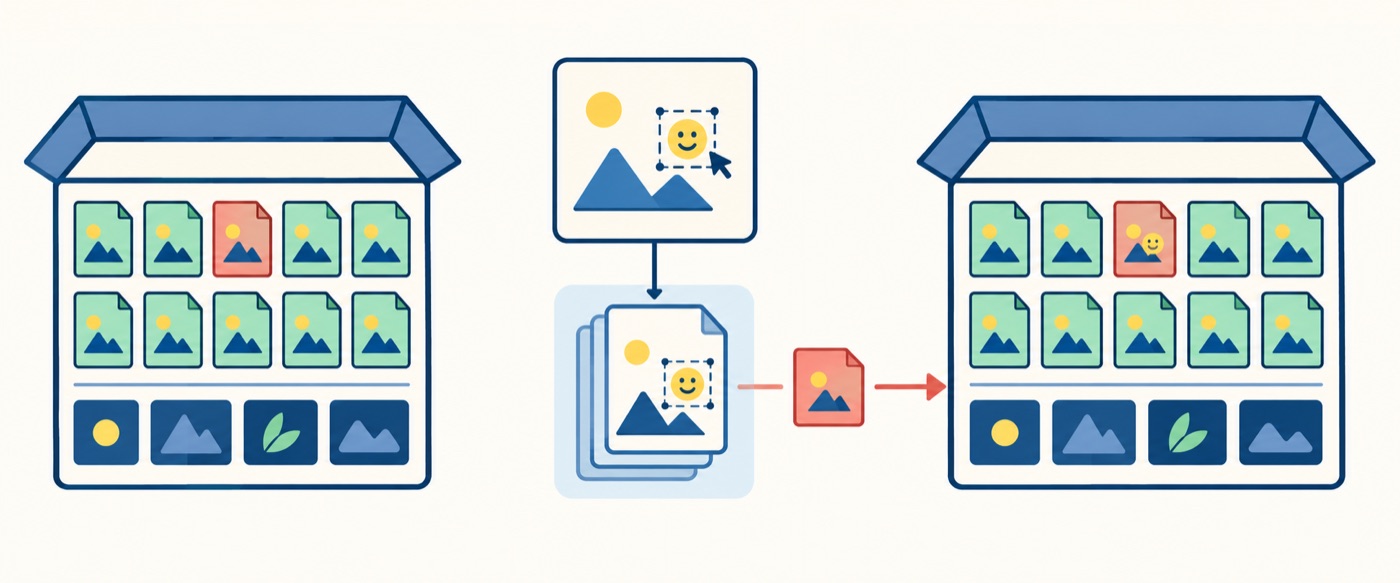
Suppose one sticker moves on page 12. A naive snapshot of every decoded photo and every page creates memory pressure before disk writing even begins. A better design records immutable page metadata and stable asset references, then writes only the changed members. Apple’s WWDC26 What’s new in SwiftUI session demonstrates a PageSnapshot and a writer that can compare with a previous snapshot. This is the same value-versus-identity decision explored in struct versus class under Swift 6 concurrency: use a stable class for the interactive document, and transferable values for work that can leave the main actor.
Your snapshot design deserves tests of its own. Save twice without changing anything and confirm that the second pass does little work. Save after a single page edit and count the bytes or package children rewritten. Save while an asset is loading and confirm the written document represents a coherent revision. Then reopen it: a fast save that silently drops a thumbnail is not a performance win.
4. Use Direct URLs Only When They Earn Their Cost
The new API can give a custom DocumentReader or DocumentWriter a coordinated file URL. That matters when you want to hand a file to Core Graphics, PDFKit, AVFoundation, a streaming parser, or a package writer that can avoid loading all children. Apple’s DocumentReader and DocumentWriter documentation describes direct URL access and progress. The URL is part of the coordinated read/write operation: do not retain it indefinitely and read behind SwiftUI’s back.
The responsibilities are straightforward even if a custom implementation is more involved than a blog-sized example:
Illustrative flow — not Swift source or a protocol implementation

open:
    SwiftUI coordinates access to the source URL
    Reader streams manifest and only the visible page into a value snapshot
    Document.apply installs that snapshot into observable editing state

save:
    Document.snapshot captures an immutable revision quickly
    SwiftUI coordinates access to the destination URL
    Writer compares it with the previous revision
    Writer copies unchanged assets and writes changed members
    Writer reports progress and propagates any disk error
This is intentionally a design sketch. The exact custom reader/writer signatures and progress APIs are still beta, and the WWDC sample leaves some package work abbreviated. I would not present a fake “copy-paste” streaming implementation that skips cancellation, destination replacement, or failure handling. Apple’s advanced document scenarios is the place to check the current SDK contract before implementing one.
When benchmarking, separate three timings: open until first editable frame, background load until all needed assets are available, and save duration. If you only measure total open time, lazy loading can look like a win while hiding stutters when users turn pages. Use Instruments to inspect file I/O, memory peaks, and main-thread work. If large-file work is your motivation, write a representative fixture that is much bigger than your normal development note.
Watch for external changes and failures
Files can change through iCloud, Files, another window, or another process. SwiftUI may ask the reader to load again; apply(snapshot:previous:) receives the new and previous snapshots. Decide whether unsaved local edits can be merged, should create a conflict, or should be discarded after an explicit user choice. Do not treat a reload as a fresh blank document.
Readers should throw on corrupt input, missing package members, and unsupported versions. Writers should propagate out-of-space, permission, and encoding failures rather than saying “saved” optimistically. For packages, keep a format version in the manifest and migrate old versions on read. Preserve unknown fields or assets when forward compatibility matters. These choices have more impact on trust than shaving a few milliseconds from the happy path.
5. Offer More Than One Way to Start
A file-based app often has more than “New Blank.” A drawing app might offer a blank canvas or photo import; a notes app might offer a note or checklist template. DocumentCreationSource identifies the route, and NewDocumentButton exposes it in an iOS document launch scene. Apple’s DocumentCreationSource and DocumentCreationContext documentation show how the chosen source reaches makeDocument. Replace the earlier NotesApp declaration with this one; it reuses NoteDocument and NoteEditor from Section 2:
import SwiftUI

extension DocumentCreationSource {
    static let blankNote = Self(id: "blank-note")
    static let fromTemplate = Self(id: "from-template")
}

@main
struct NotesApp: App {
    var body: some Scene {
        #if os(iOS)
        DocumentGroupLaunchScene("Notes") {
            NewDocumentButton("Blank Note", source: .blankNote)
            NewDocumentButton("From Template", source: .fromTemplate)
        }
        #endif

        DocumentGroup { document in
            NoteEditor(document: document)
        } makeDocument: { configuration, context in
            let document = NoteDocument()
            if context.creationSource == .fromTemplate {
                document.text = "# Meeting Notes\n\n## Decisions\n\n## Actions\n"
            }
            return document
        }
    }
}
The launch scene is first on iOS and uses the same DocumentGroup for both buttons. The blank route leaves text empty; the template route starts with editable meeting headings. The source arrives in context.creationSource, which is optional, so an ordinary new-document action with no source also creates a blank note. Keep the source identifier stable: it is a semantic route, not a localized button title. If template selection later opens a picker that can be canceled, let creation end without producing a half-initialized document. On other platforms, the conditional omits the iOS launch scene while the document group remains available.
For a real notes app, I would keep the file format identical across blank and template creation. The source chooses initial content; it should not quietly fork the persistence model. That makes subsequent open, save, and export behavior predictable. The new workflow is particularly valuable when an existing SwiftUI coordinator manages deeper navigation: the creation choice can feed the document initializer while the editor retains one route and one document type.
6. Migrate at a Measured Boundary
The expanded APIs are available with iOS 27, macOS 27, and visionOS 27 according to Apple’s current documentation, as part of the 2027 platform releases. In October 2026, that means a beta SDK and future OS availability. If your app still supports older OS versions, you cannot simply replace every FileDocument conformance with Document and keep one ungated code path. Decide whether to retain the existing document scene on older systems, move the new document experience behind availability checks where the scene design permits it, or wait to raise the deployment target. Test the resulting app startup and document routing on each supported OS.
Start by measuring current open latency, memory use, save latency, and files rewritten. Then migrate one document format, preserving its on-disk representation. A format migration and an API migration at the same time make regressions difficult to diagnose. Keep golden fixtures for old files, including malformed and partially synced packages. Open them with both implementations where possible; save and reopen with the new implementation; compare the contents rather than just the file size.
If your existing FileDocument app opens quickly, saves reliably, and handles files of modest size, there is no urgent need to rewrite it. The new API earns its complexity when you need stable observable editing state, multiple creation routes, async or incremental I/O, direct URL access, or progress on long operations. A working, tested document format is an asset. Preserve it while changing the machinery around it.
Key Takeaways
DocumentcombinesReadableDocumentandWritableDocumentfor a reference-type, read/write model.@Observablecan keep UI updates focused, while undo registration remains essential to autosave behavior.- Start with
FileWrapperDocumentReaderandFileWrapperDocumentWriter. Use custom URL-based readers and writers when real files and measurements justify streaming, incremental work, or progress reporting. - Capture small immutable snapshots quickly. Keep parsing and encoding away from the main actor, and verify save/reopen integrity under external edits and disk failures.
DocumentCreationSourceandNewDocumentButtonlet an iOS document browser offer meaningful starting routes without multiplying file formats.- Treat the Xcode 27 and 2027-platform APIs as beta today. Keep older deployment targets on a supported document path and verify final SDK signatures before shipping.